Choosing the right customer support platform can be a challenging task. In 2026, businesses need software that not only handles tickets but also improves the overall support experience. Whether you’re a startup, a growing company, or an enterprise with a large team, the choice between Zoho Desk, Zendesk, and Freshdesk can impact your team’s productivity, customer satisfaction, and your bottom line.
This in-depth comparison examines how these three powerful help desk tools compare in terms of features, CRM integration, automation, pricing, scalability, and other key aspects. Let’s break it down.
Feature-by-Feature Comparison: Zoho Desk vs Zendesk vs Freshdesk
All three platforms offer strong ticketing and support capabilities, but they cater to slightly different user bases.

Zoho Desk integrates natively with Zoho CRM, making it a smart choice for businesses already in the Zoho ecosystem. Its multi-channel support includes email, phone, chat, and social media. The automation features are powered by Zia, Zoho’s AI assistant, which helps streamline repetitive tasks and improve response accuracy. Zoho Desk also includes customizable self-service portals that enable customers to find answers independently, thereby reducing the number of tickets.

Zendesk offers powerful automation tools, making it best suited for large teams with complex workflows. It seamlessly integrates with Salesforce and offers robust multichannel support, including live chat and telephony. However, many of its best features are only available in higher-tier plans, making it less affordable for small teams.
Freshdesk strikes a balance between power and simplicity. It works well for small to mid-sized teams seeking robust omnichannel capabilities. With its Freshsales CRM integration and Freddy AI for automation, it’s easy to manage customer requests across email, chat, and phone. Self-service portals and community forums are included on most plans.
CRM Integration and Ecosystem Compatibility
When your help desk and CRM systems work together, agents can instantly view customer context and respond more quickly. Here’s how these tools handle CRM integration:
Zoho Desk offers seamless, out-of-the-box integration with Zoho CRM. You don’t need to write code or pay extra for connectors. This native link means tickets, customer data, sales insights, and support activities all sync automatically. It’s ideal for businesses already using Zoho’s productivity suite.

Zendesk, while powerful, typically requires add-ons or third-party connectors to integrate with Salesforce or other CRMs. This adds complexity and cost, although the integration is very detailed once set up.
Freshdesk connects directly with Freshsales, another Freshworks product if you’re already using Freshworks for sales, marketing, or HR, Freshdesk slots right in without a hitch.
Automation and AI Capabilities
Automation reduces human error and speeds up ticket resolution. Each platform offers some level of AI and workflow customization, but the depth and flexibility vary.
Zoho Desk leads with Zia, an AI assistant that can auto-tag, assign, and prioritize tickets. Zia learns from past conversations and even suggests knowledge base articles to customers during ticket submission. You can also create custom rules and workflows using a visual editor.
Zendesk relies on its Trigger, Macro, and Automation systems. While effective, these tools require more setup and may not be intuitive for new users. The Answer Bot, available as an add-on, offers automated responses to common questions using your help center content.

Freshdesk’s Freddy AI is available on higher plans and helps categorize tickets, recommend solutions, and predict ticket sentiment. Its Scenario Automations allow agents to apply multiple actions at once, saving time on repetitive tasks.
Pricing Breakdown: Which Platform Gives You More Value?
Cost is a significant factor for many businesses when choosing help desk software. Here’s how the platforms compare:
Zoho Desk offers a free plan for up to three agents, making it ideal for startups. Its paid plans start at $14 per agent per month and include access to automation, CRM integration, and advanced reporting. Even at the Professional level, you get most of the essential features without having to upgrade to an enterprise pricing plan.
Zendesk starts at $19 per agent per month, but essential features like advanced automations and AI are locked behind higher-tier plans that cost between $55 and $99 per user per month. This can add up quickly, especially for large teams.
Freshdesk also offers a free version with basic features, and its paid plans begin at $15 per agent per month. The Growth plan offers excellent value, featuring custom reports, automations, and Freddy AI.
For small to medium-sized businesses, Zoho Desk and Freshdesk offer better cost efficiency. Zendesk is suitable for enterprises that require deep customization and are willing to invest more.
Ticket Management and SLA Controls
Efficient ticket handling is the core of any help desk software.
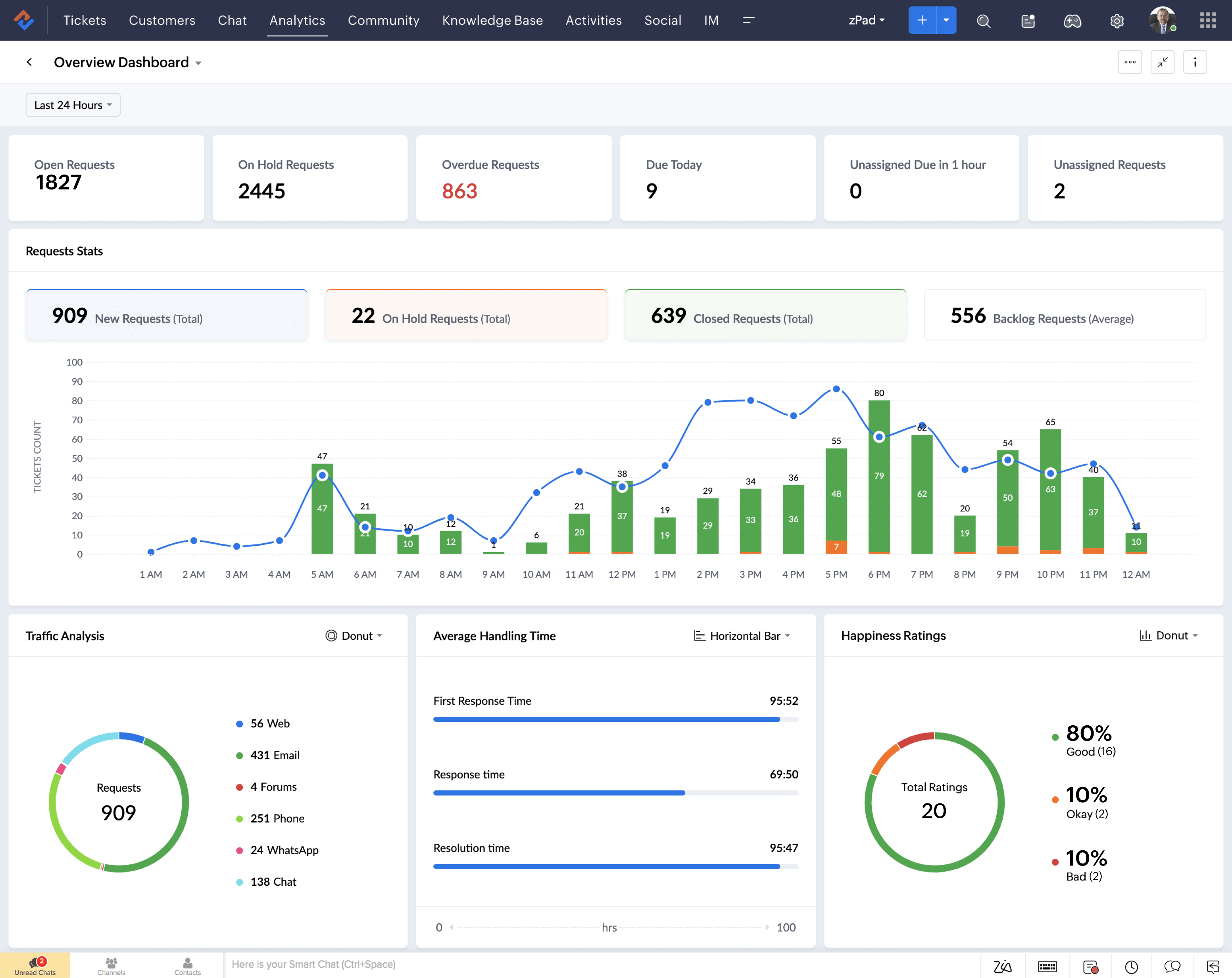
Zoho Desk uses a context-aware ticketing system that allows agents to view all previous interactions, customer data, and SLAs in one place. Its SLA module is highly customizable, letting you set escalation rules and monitor agent performance in real-time.
Zendesk’s ticket system is robust, featuring Views, SLAs, and Macros that help agents prioritize work. It’s excellent for large teams dealing with complex workflows and multiple departments. However, the learning curve is steeper.
Freshdesk offers visual ticket routing, tag-based organization, and automatic priority settings. Its SLA management is flexible and integrates well with escalation rules and response deadlines. It’s easy to set up and doesn’t require technical knowledge.
Self-Service and Knowledge Base Options
Customers prefer solving problems on their own whenever possible. That’s why a built-in knowledge base and self-service portal is essential.
Zoho Desk lets you create branded portals, organize FAQ content, and even embed a community forum. It also uses AI to suggest relevant articles before a customer submits a ticket.
Zendesk boasts one of the most mature self-service platforms, featuring help centers, community forums, and multilingual support. The downside is that many customization options are limited to higher tiers.
Freshdesk offers customizable help centers, community forums, and article suggestion features. You can create public or private knowledge bases tailored to different user types.
All three platforms encourage deflection and faster resolution, but Zoho Desk and Freshdesk make it easier and cheaper to implement right out of the box.
Omnichannel Support and Multiplatform Access
Support isn’t limited to just email anymore. Today’s customers reach out via chat, social media, phone, and more.
Zoho Desk supports email, live chat, social media (Facebook, Twitter), web forms, and phone calls. You can manage all interactions from a single dashboard. It also integrates with Zoho SalesIQ for proactive chat and visitor tracking.
Zendesk leads in omnichannel capability, especially for enterprises. It provides deep integration across email, chat, voice, SMS, and even WhatsApp. If you’re managing high volumes across many channels, Zendesk can handle the load.
Freshdesk supports all primary channels, including phone, chat, and social. It’s simple to set up and lets you unify communication from multiple touchpoints without technical hurdles.
All three offer mobile apps, and Zoho Desk’s app stands out for providing full desktop-level functionality on the go.
Integration Capabilities and API Access
Your help desk software should seamlessly integrate into your existing workflow. That’s where integrations matter.
Zoho Desk has a growing app marketplace and integrates smoothly with other Zoho products. It also offers a REST API for custom integrations.
Zendesk boasts the most extensive ecosystem, featuring over 1,200 third-party integrations that span CRM, project management, messaging, and analytics.
Freshdesk offers a wide range of integrations and integrates exceptionally well with other Freshworks tools. Its API allows businesses to build custom functions or connect to niche tools.
Scalability and Use Case Suitability
Different businesses have different support needs.
Zoho Desk is best for startups and SMBs looking for affordability, ease of use, and native CRM support. It scales well up to mid-sized teams but may not support complex enterprise structures without extra customization.
Zendesk is ideal for enterprises managing thousands of tickets daily across multiple departments. Its complexity is a strength if you have the resources to manage it.
Freshdesk is flexible. It suits companies of all sizes and is particularly well-suited for teams seeking fast onboarding, easy automation, and robust omnichannel tools.
Which Help Desk Platform Is Right for You?
If you’re already using Zoho CRM and want an affordable, powerful help desk platform, Zoho Desk is your best bet. It’s packed with automation, offers tight CRM integration, and doesn’t break the bank.
For large, multi-agent enterprises that require deep customization and have the budget to match, Zendesk is a reliable, proven solution with unmatched scalability.
If you’re in the middle, looking for something more powerful than a free tool but easier and more budget-friendly than an enterprise suite, Freshdesk provides the best of both worlds with a user-friendly design and strong omnichannel support.
Whichever you choose, ensure it aligns with your team’s workflow, customer expectations, and long-term growth objectives.